Budget Pesa Android

Set a budget. See where every shilling went.

Turn supported M-Pesa and bank SMS into a categorized local ledger, then plan the month against what you actually spend. No account, cloud, or internet connection required.

Available on Google Play

Plana monthly budget
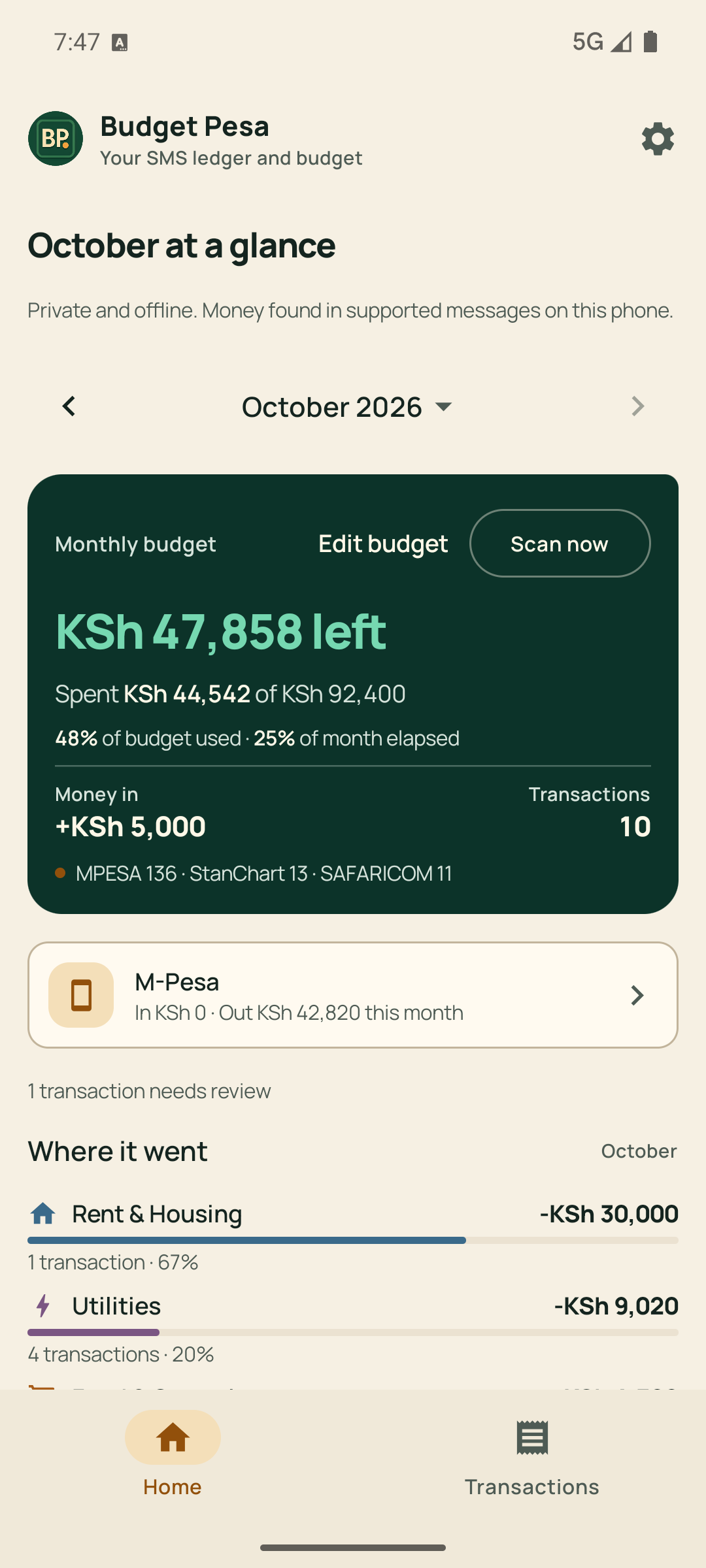
Budget Pesa home screen showing monthly budget progress and categorized spending
Trackcategorized spending

Know your limit before the month gets away.

Set a monthly budget and follow it against real spending. Budget Pesa keeps the amount spent, money left, budget progress, and elapsed month together in one honest view.

When spending goes over plan, the same view shows exactly how far and which categories drove it.
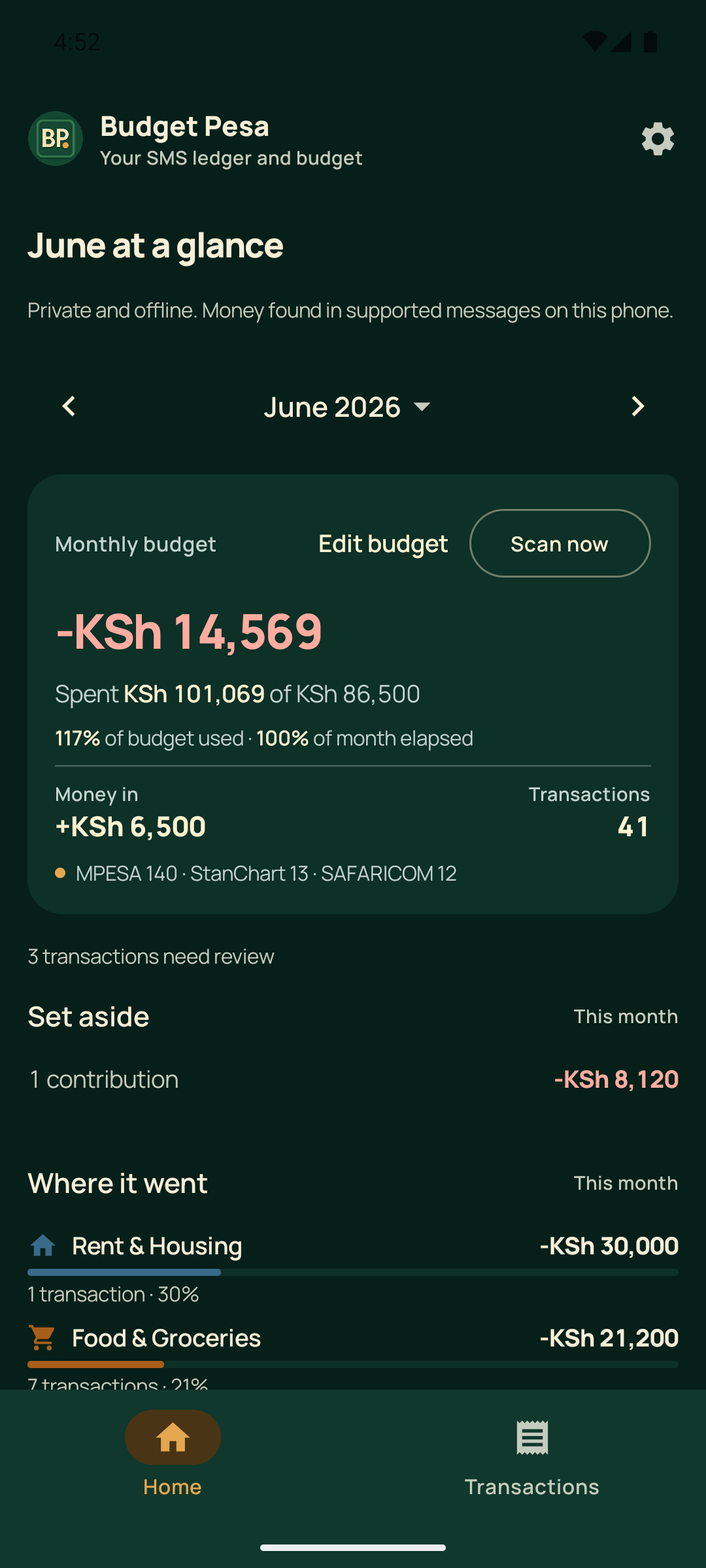
Budget Pesa showing an over-budget month at 117 percent of plan with category totals

The ledger gets smarter after the scan.

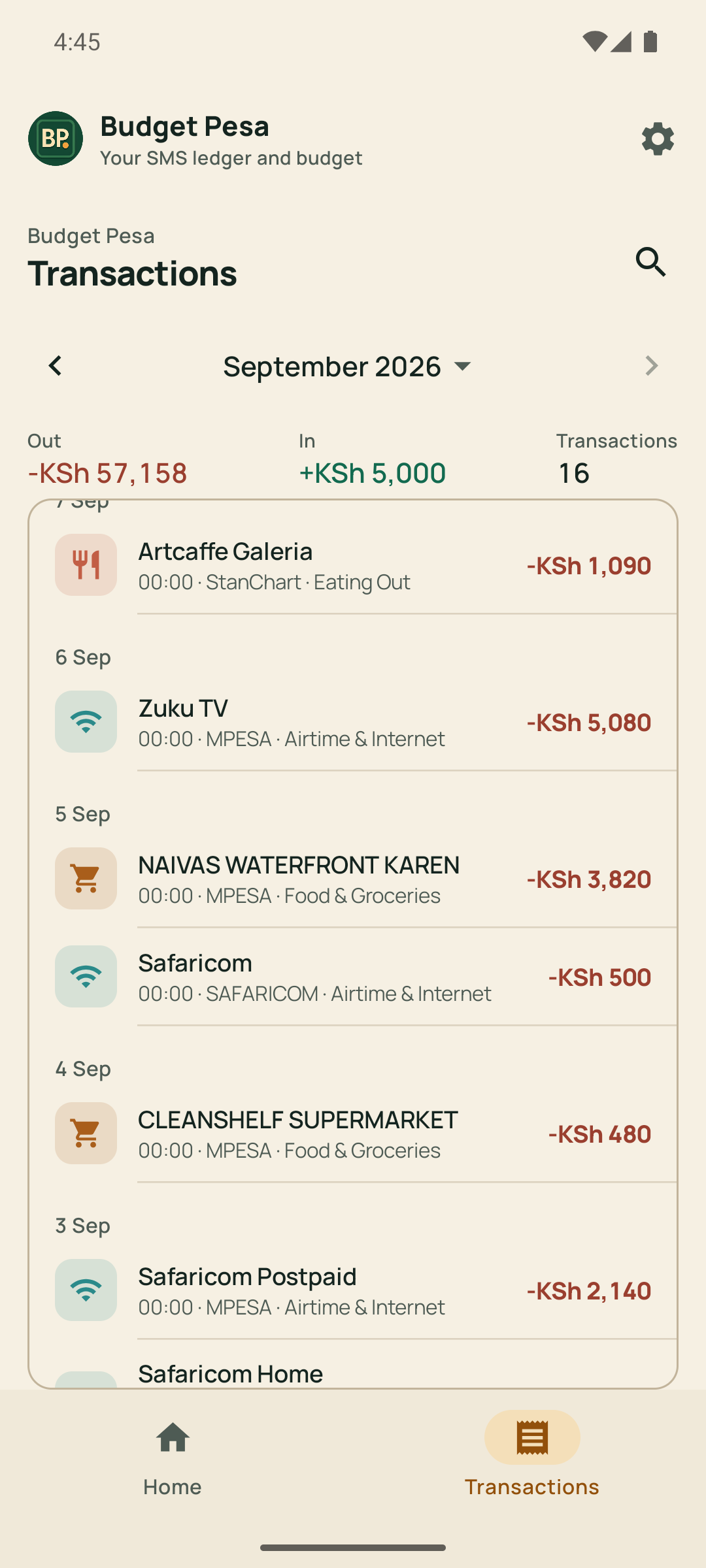
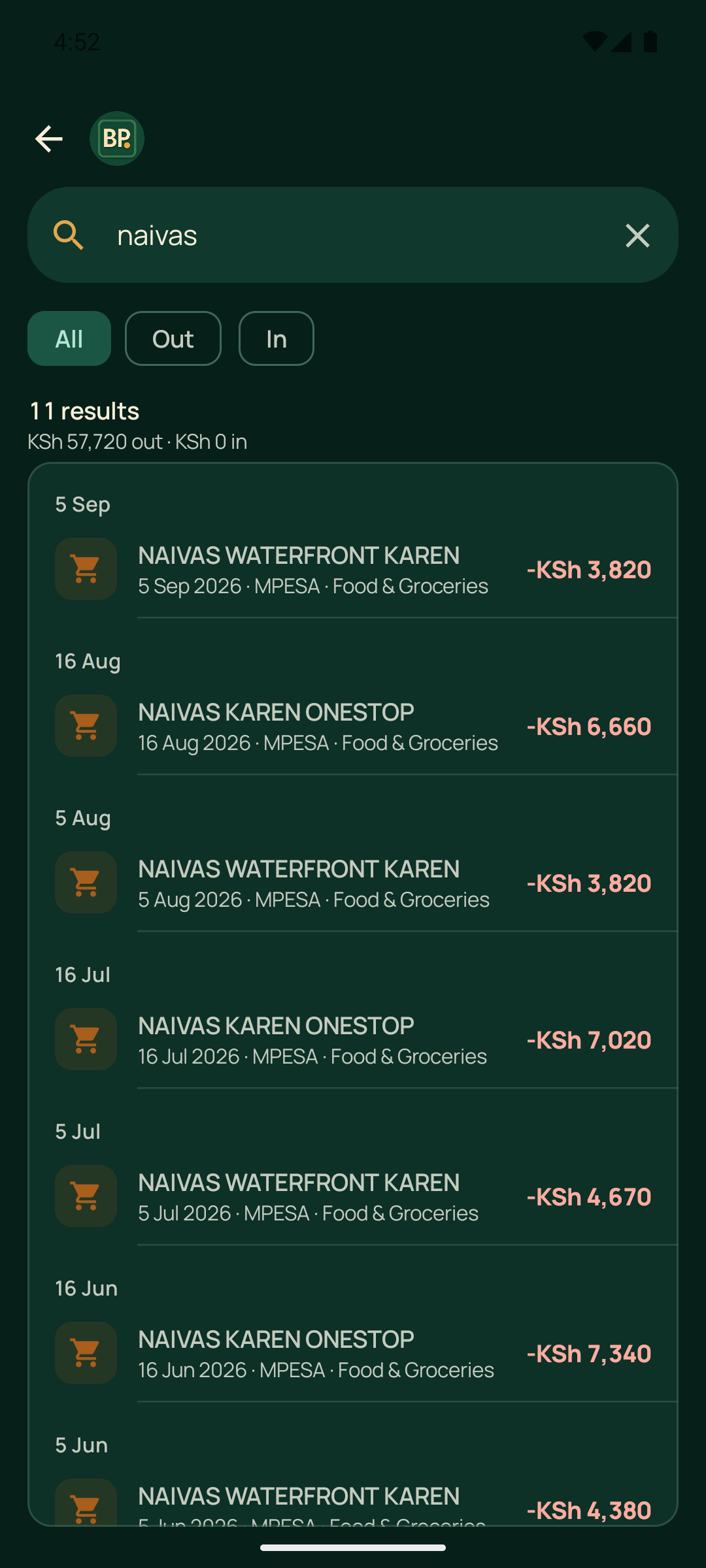
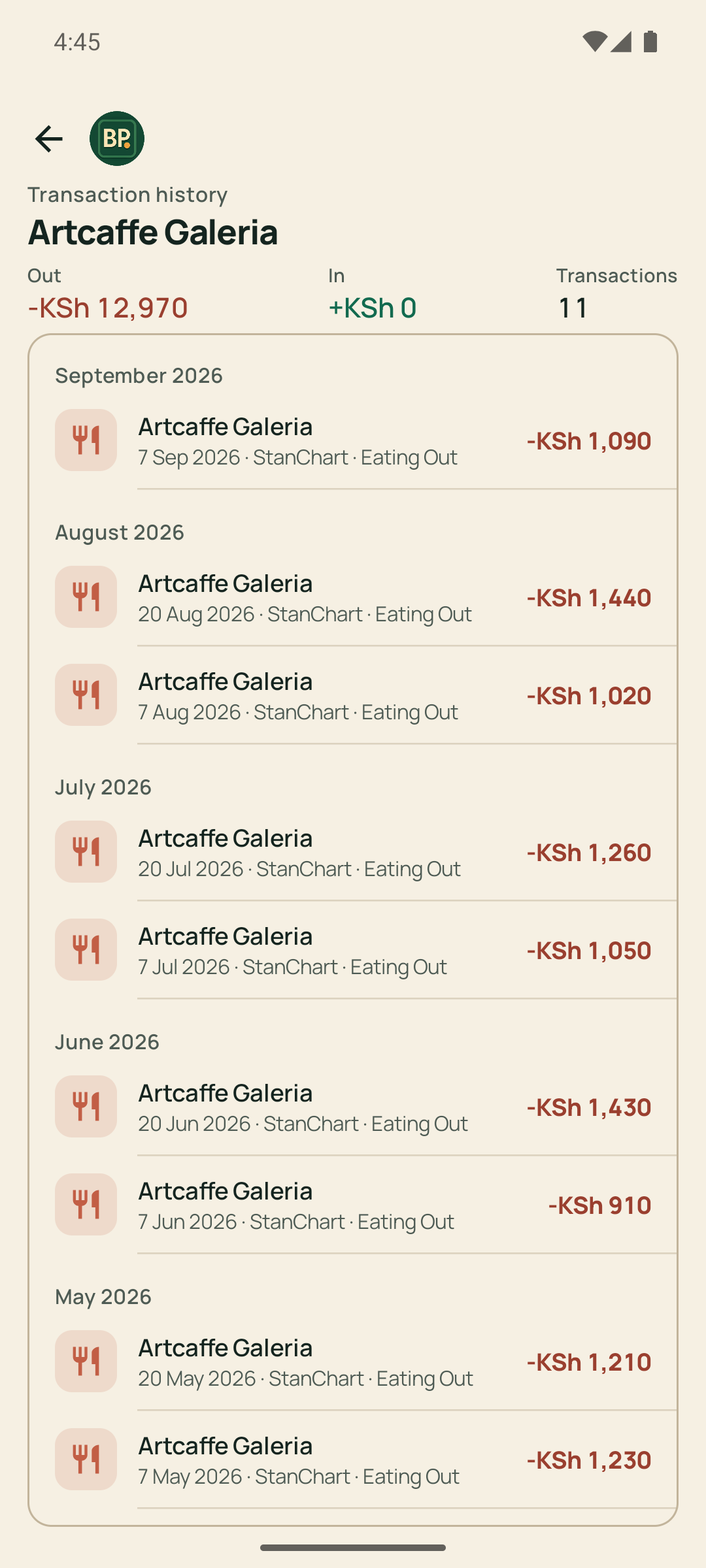
Browse transactions by month, search every merchant and person at once, and open any of them for their full history. Every useful detail stays connected to the spending picture it changes.

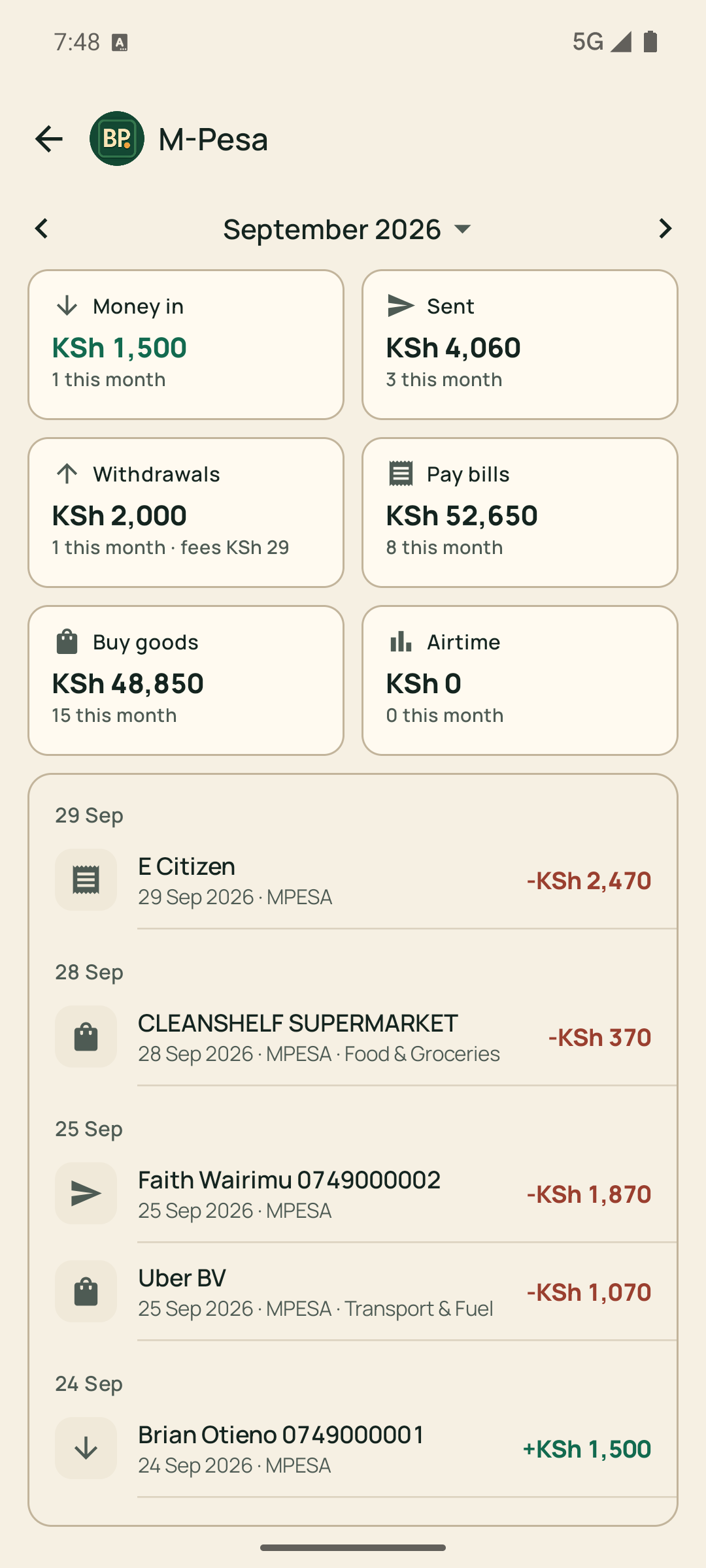
Your whole M-Pesa month in six cards.

Tap the M-Pesa card on Home to open a page that sums the month into Money in, Sent, Withdrawals, Pay bills, Buy goods, and Airtime, each with the number of messages behind it. Tap any card to filter the list to that movement, walk through months, or open your whole history at once.

The Withdrawals card keeps the month’s fees in plain sight, so charges never hide inside the sums.

Budget Pesa M-Pesa page showing six monthly cards for money in, sent, withdrawals, pay bills, buy goods, and airtime above a dated list of payments

Categories that match how you actually spend.

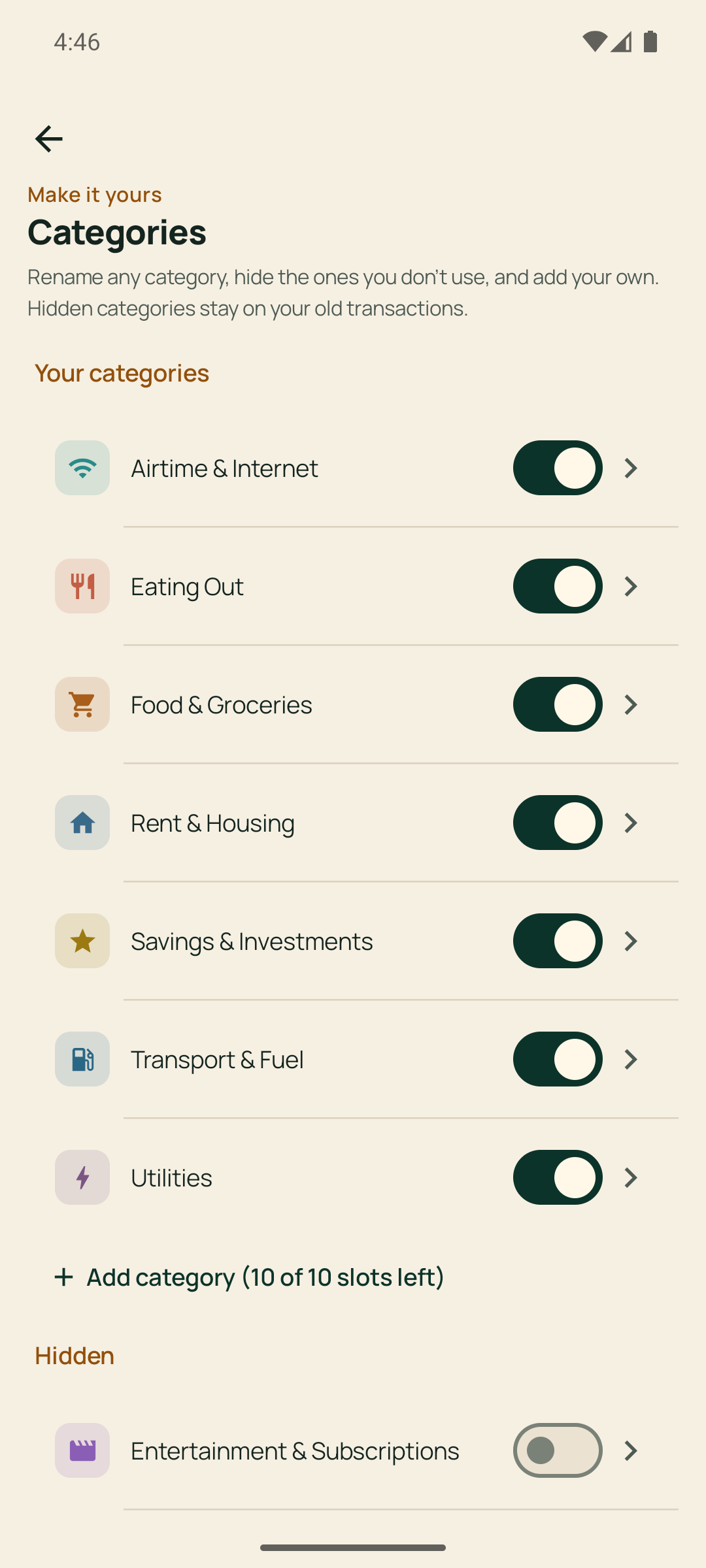
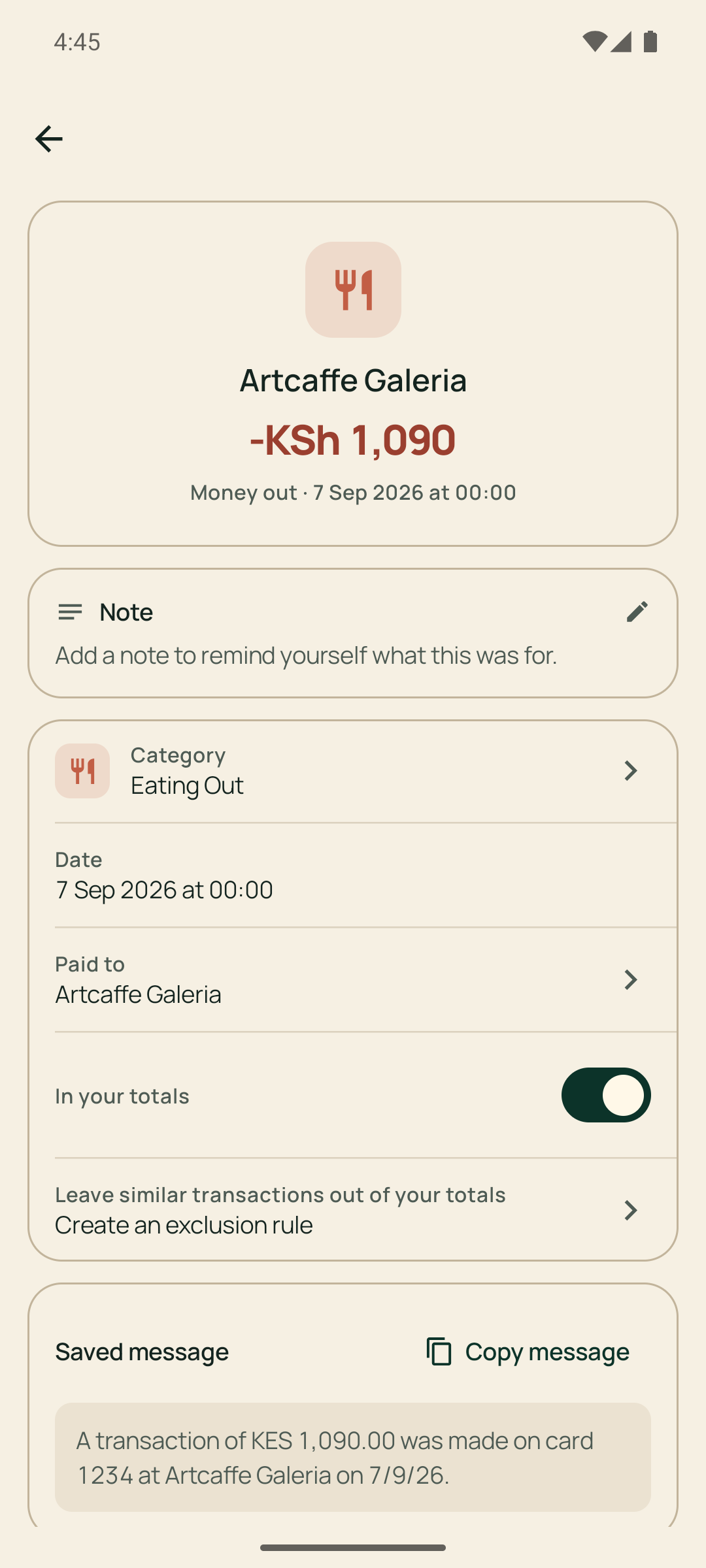
Rename any category, hide the ones you don’t use, and add your own. Open a transaction to add a note that reminds you what it was for, or create an exclusion rule that keeps repeated transfers out of your totals.

Hidden categories stay on your old transactions, so history never changes under you.

Budget Pesa category settings for renaming, hiding, and adding categories
Budget Pesa transaction detail with a note, category, and exclusion rule

Your financial life does not belong in someone else’s cloud.

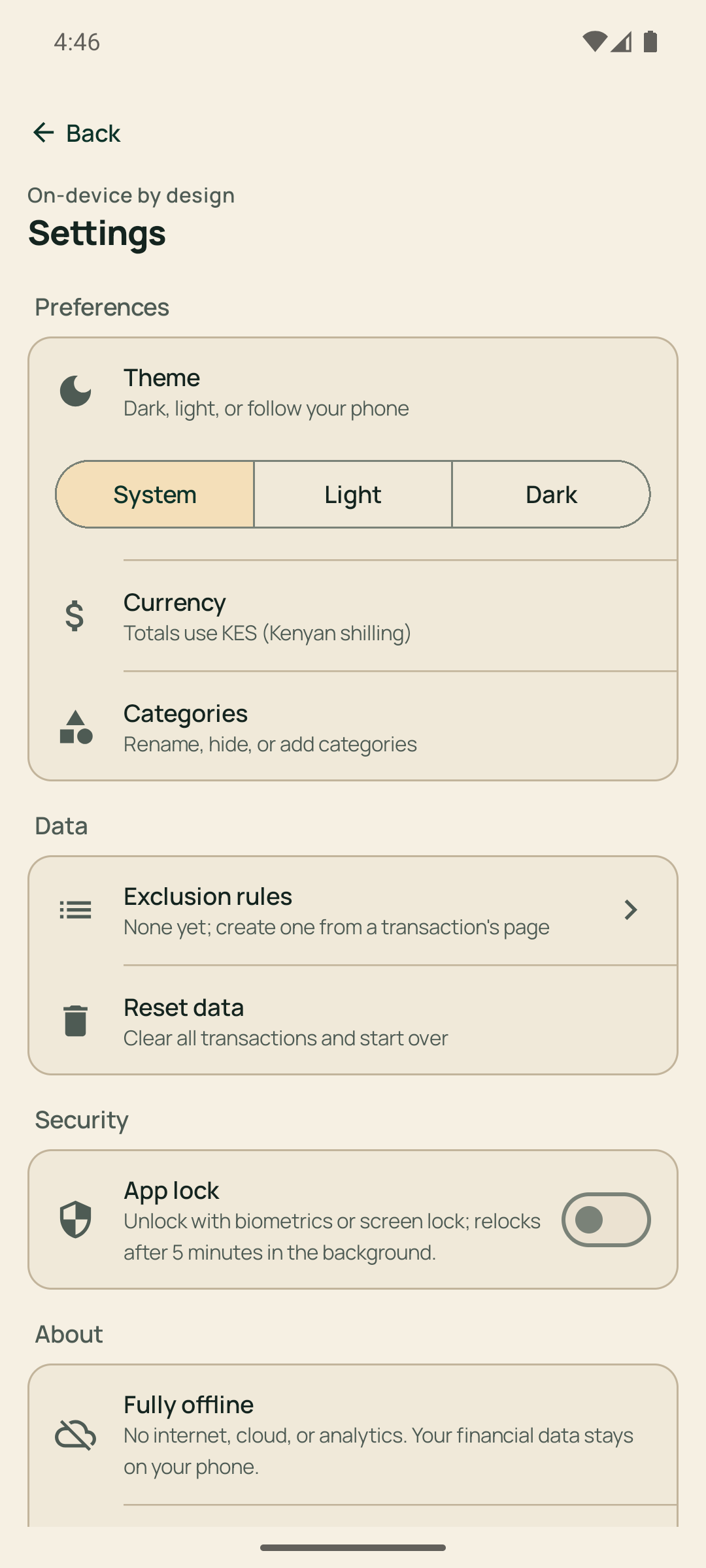
Budget Pesa has no internet permission. It processes supported messages locally, keeps every record on your phone in an encrypted database, and includes no accounts or telemetry.

How Budget Pesa handles data →
No accountNo cloudNo trackingEncrypted storageFingerprint lock
Budget Pesa settings showing theme, categories, exclusion rules, and app lock

A useful budget in three deliberate steps.

  1. 1

    Scan locally

    You decide when Budget Pesa reads supported financial messages.

  2. 2

    Sort what matters

    Review transactions and correct categories where your context knows best.

  3. 3

    Plan the month

    Set a budget and follow spending, categories, and progress in one place.

Your money. Your phone. Your business.

Budget Pesa is available on Google Play. Get the app to start planning your month, or read exactly how it treats your data.